Everything in this list costs close to nothing, from a Wedding Emergency Kit built on one drugstore run to a Printable Wedding Planner that keeps the whole budget on paper.
Who needs to see the information decides which one you build: a Seating Chart Planner and an Emergency Kit work for guests and the wedding party on the day, while a Printable Planner and a plan for Collaborating with Partners serve only the two of you beforehand.
Free tools won’t link themselves, so a Trello card, a budget row and a Drive receipt all get updated by hand.
1. Seating Chart Planner
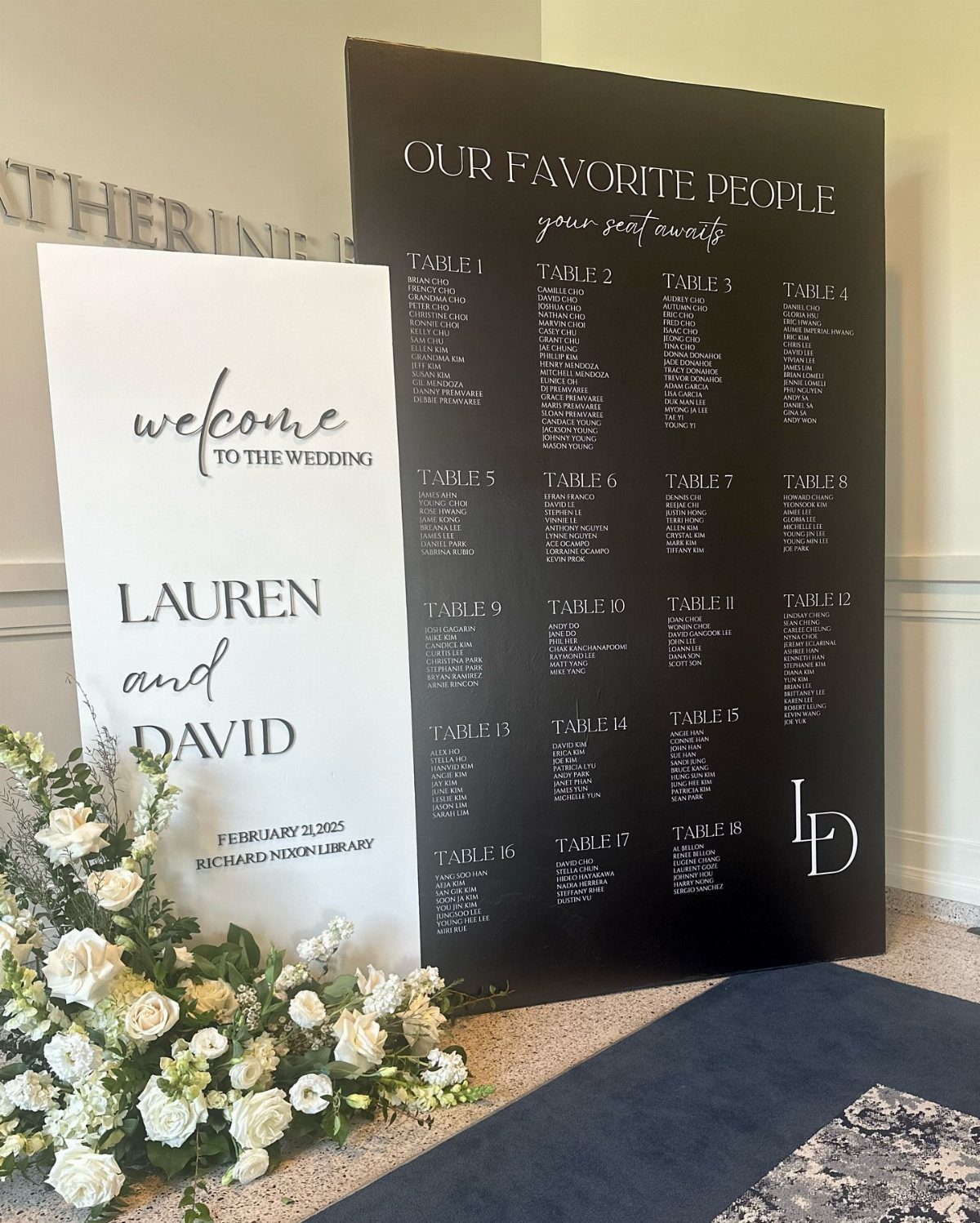
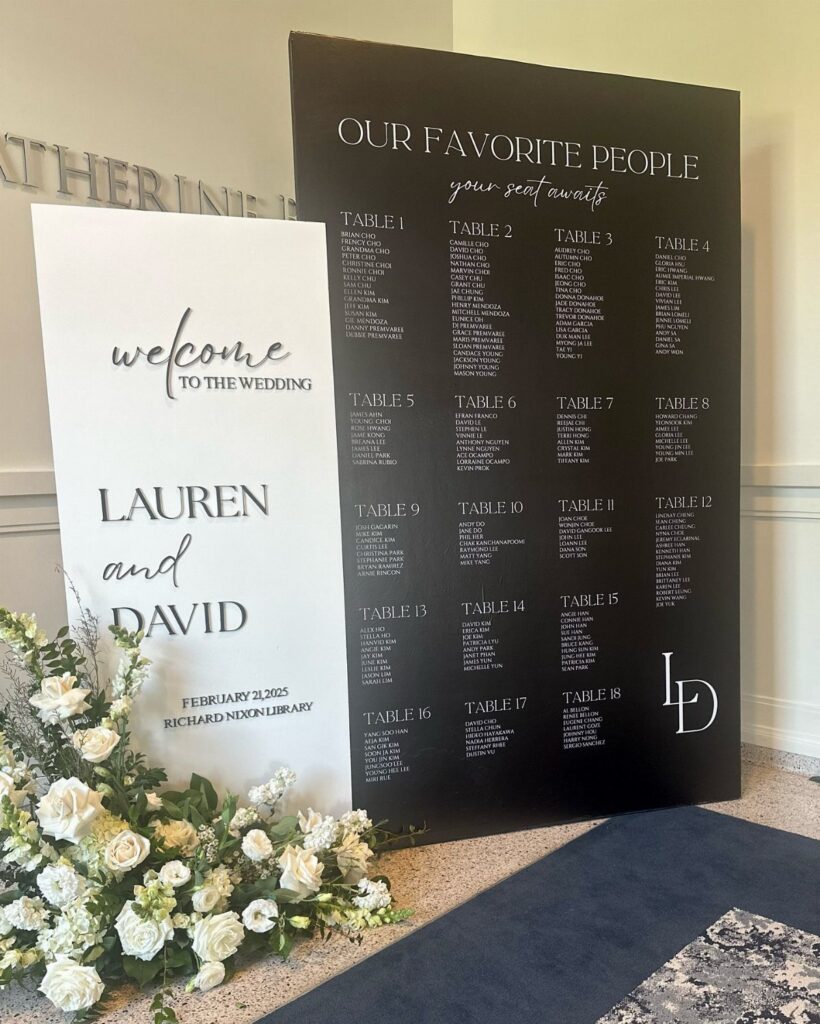
A seating chart board earns its spot by sparing guests the table hunt at the door.
A long seating list is hard to scan, so list each guest under a clear table number in one readable block, and put the board where people pause, near the welcome sign.
Alphabetize within each table or list guests alphabetically across the whole board; either way, finish the draft on paper before anything gets lettered or printed. A mistake on a finished board costs you a reprint.
2. Printable Wedding Planner
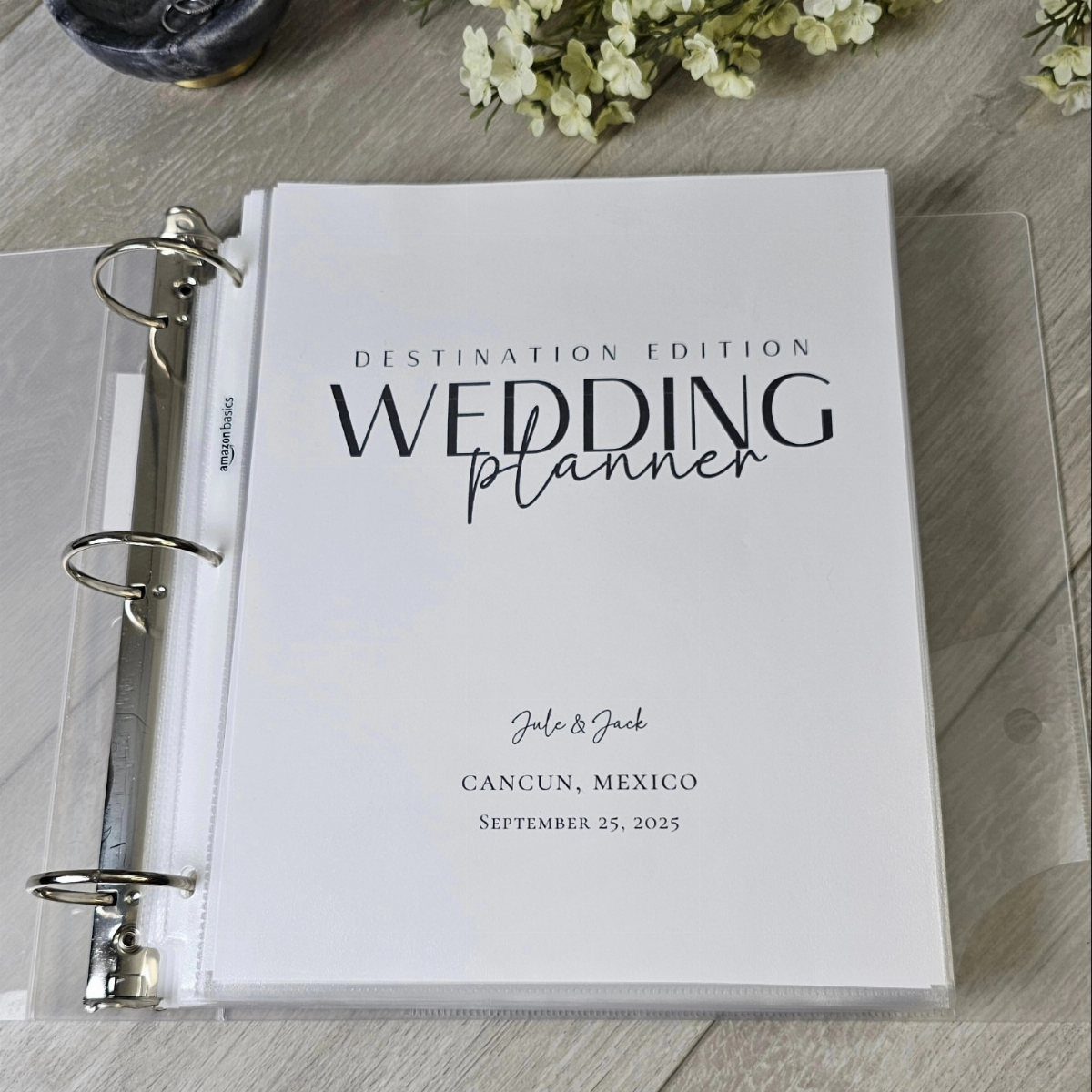
Binder planners suit couples who think better on paper than in an app. A clear cover lets you slip in a custom title page with names, location and date, which makes a destination wedding feel organized from the first day.
Print the pages at home and you pay only for paper, ink and the binder.
I would add tabbed dividers for budget, vendors, timeline and travel details, so nothing gets buried. Keep it on one shelf, and bring it along to every vendor call.
3. Wedding Emergency Kit
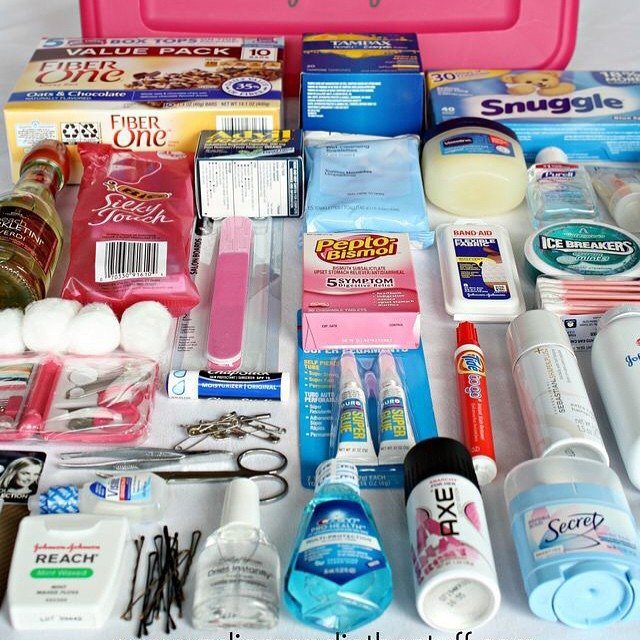
Stocking an emergency kit costs far less than fixing a problem on the day, and you can build most of it from a drugstore run.
Stomach relief, fiber, deodorant and grooming basics all have a place, so pick the brands you already trust.
Pack everything in one lidded bin so a bridesmaid or your best man can find it fast.
Since stores may be out of stock or closed when you need something, buy a week ahead. Add a sewing kit, if you like, as an extra.
Managing Stress During Planning
A checklist cuts stress only when it has dates on it. Work backward from the wedding day and give every task a deadline, so the list tells you what to do this week instead of listing everything at once.
Keep the active list short. Pick 3 to 5 tasks for the week, and leave the rest parked where you can see them but don’t have to look at them.
When a decision stalls, move it to the bottom and finish something smaller. Crossing off a booked vendor does more for your mood than another hour of comparing centerpieces.
Importance of Budgeting
Set the total before you tour a single venue. A number you chose early makes every later choice easier, because each quote either fits or it doesn’t.
Then rank your priorities.
Pick the two or three things you would hate to lose, such as photography, food or the venue, and let those take the biggest shares. Everything else gets what is left.
Regret usually comes from money spent on things you didn’t care about, not from a modest total. Write the ranking down so you can point to it when a vendor offers an upgrade.
Collaborating with Partners
Put the budget in a shared Google Sheet and give your partner real tasks in it, not just a view-only link. One master sheet that you both can edit keeps costs from living in two heads.
Free tools can work together as a small system. Use Trello for a task board with a card for each vendor and milestone, Google Sheets for the budget, Google Drive for contracts and receipts, and your phone’s calendar for deadlines.
No single free tool connects the others for you, so the budget sheet, the guest list and the vendor checklist each stay in their own place until you link them by hand.
When a payment goes out, I would update the sheet, mark the Trello card done and file the receipt in Drive the same day. Split those chores between you, and the system stays accurate.