These worksheets range from a free printable countdown with 30 circles to a shared Google Sheets file to a full planning app, and the one that fits depends on how many moving parts your wedding has.
Keep a small wedding with only a few vendors on a simple spreadsheet; once the guest list grows and the vendor count climbs, an app that links budget, RSVPs and tasks saves real time.
Give every budget line two columns, one for the estimate and one for the final bill, so the gap shows up the moment it opens.
1. Guest List
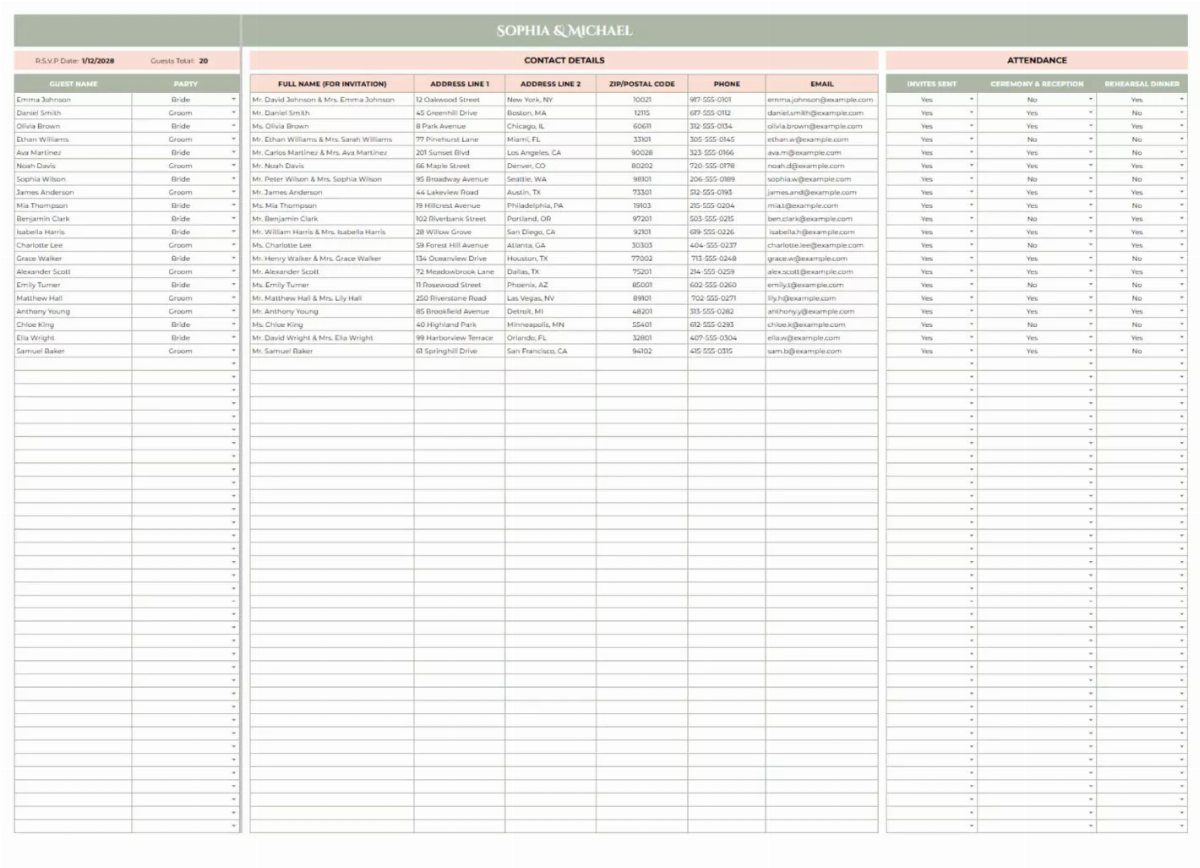
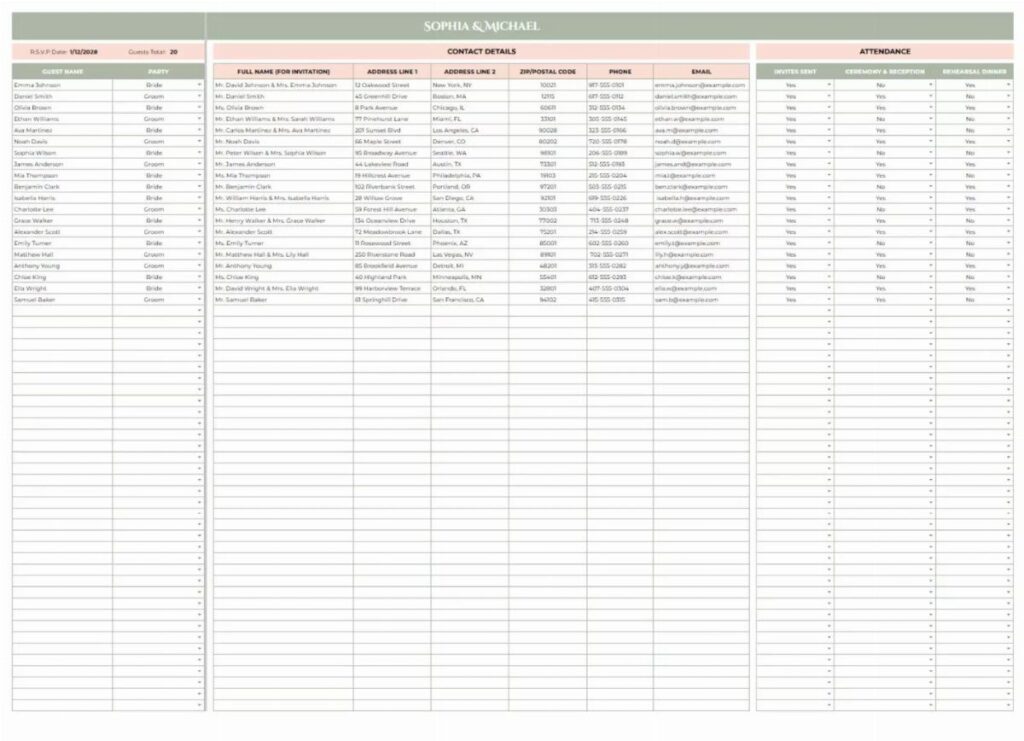
Build it before you pick a venue, because the head count drives almost every other number.
Add a column for which side invited each person, so the split stays honest when you trim. I also like a separate tab for maybes, which keeps the main list clean.
2. Seating Plan

Seating charts take longer than anyone expects, so start with a rough draft of table groups once RSVPs are mostly in. Put families and friend circles together first, then fill the gaps.
A big sign like this one, listing every name beside a table number, lets guests find their seat at a glance.
Keep a printed copy in the planner’s pocket too, since a few changes always come in at the last minute.
3. Wedding Countdown Worksheet
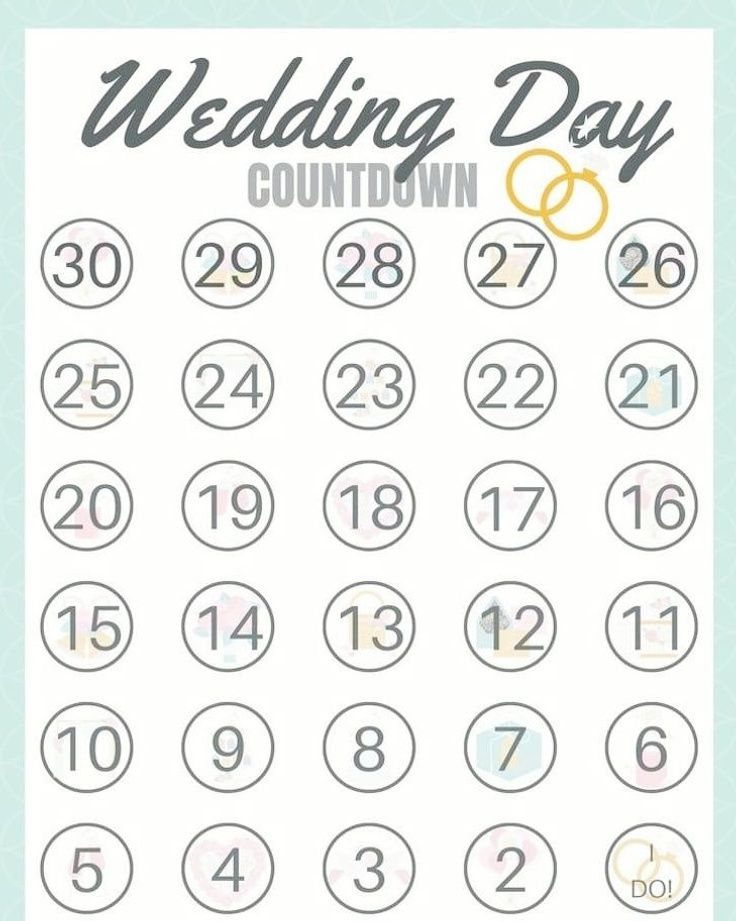
A countdown from 30 to 1 turns a huge job into daily steps. Fill each circle with one task, and the final circle, "I DO!", is the only one that needs no work.
I would start at 30 days out for the final stretch: confirm vendors, finish the seating plan and pack for the day. Anything bigger belongs on a longer timeline.
4. Google Sheets Wedding Planner Spreadsheet
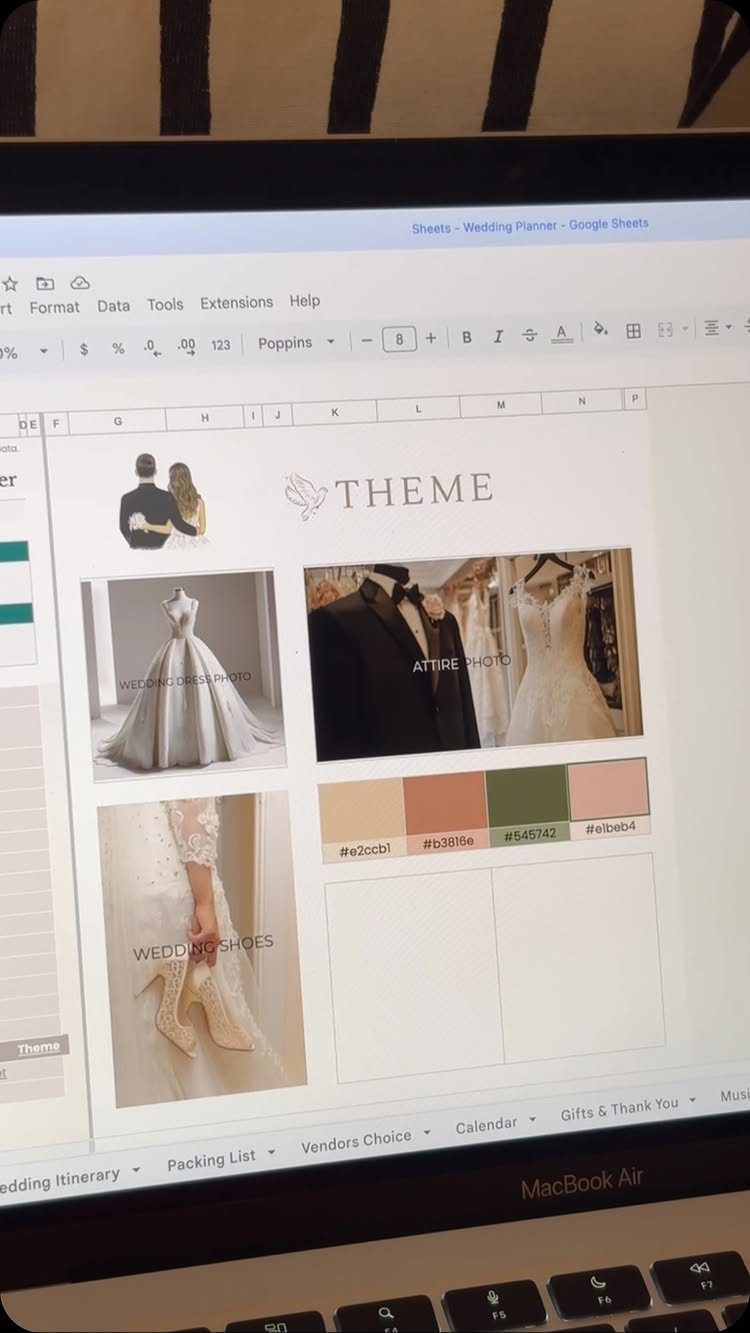
A Google Sheets planner earns its place because both of you can edit it at once from any phone or laptop.
Save the hex codes from your palette there, so the florist, stationer and bridal party all match the same shades.
5. Wedding Budget Tracker
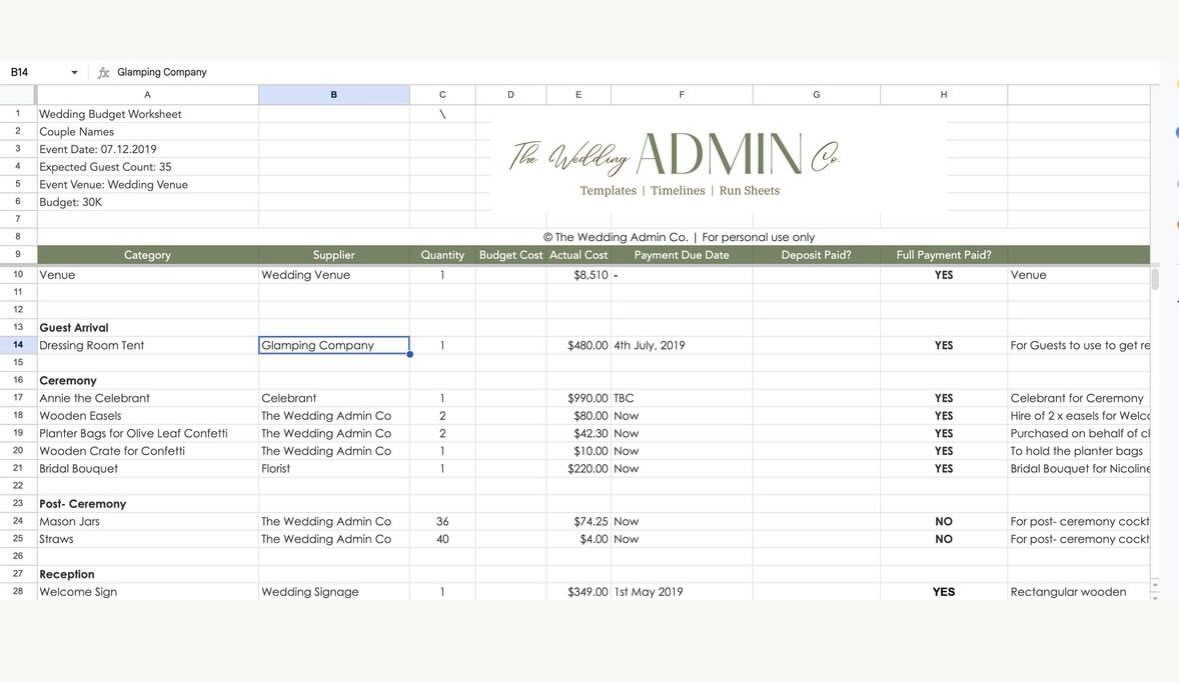
Budget tracking only works if you record 2 numbers for every line: what you planned and what you actually paid.
Set up 3 columns for what you planned to spend, what you actually paid and whether the bill is settled, and you can see at a glance where the money stands.
Fill in the venue first, since it usually takes the biggest share. Then list each supplier beside its category, so you can see at once who is paid and who still has a balance.
6. RSVP Tracking Worksheet
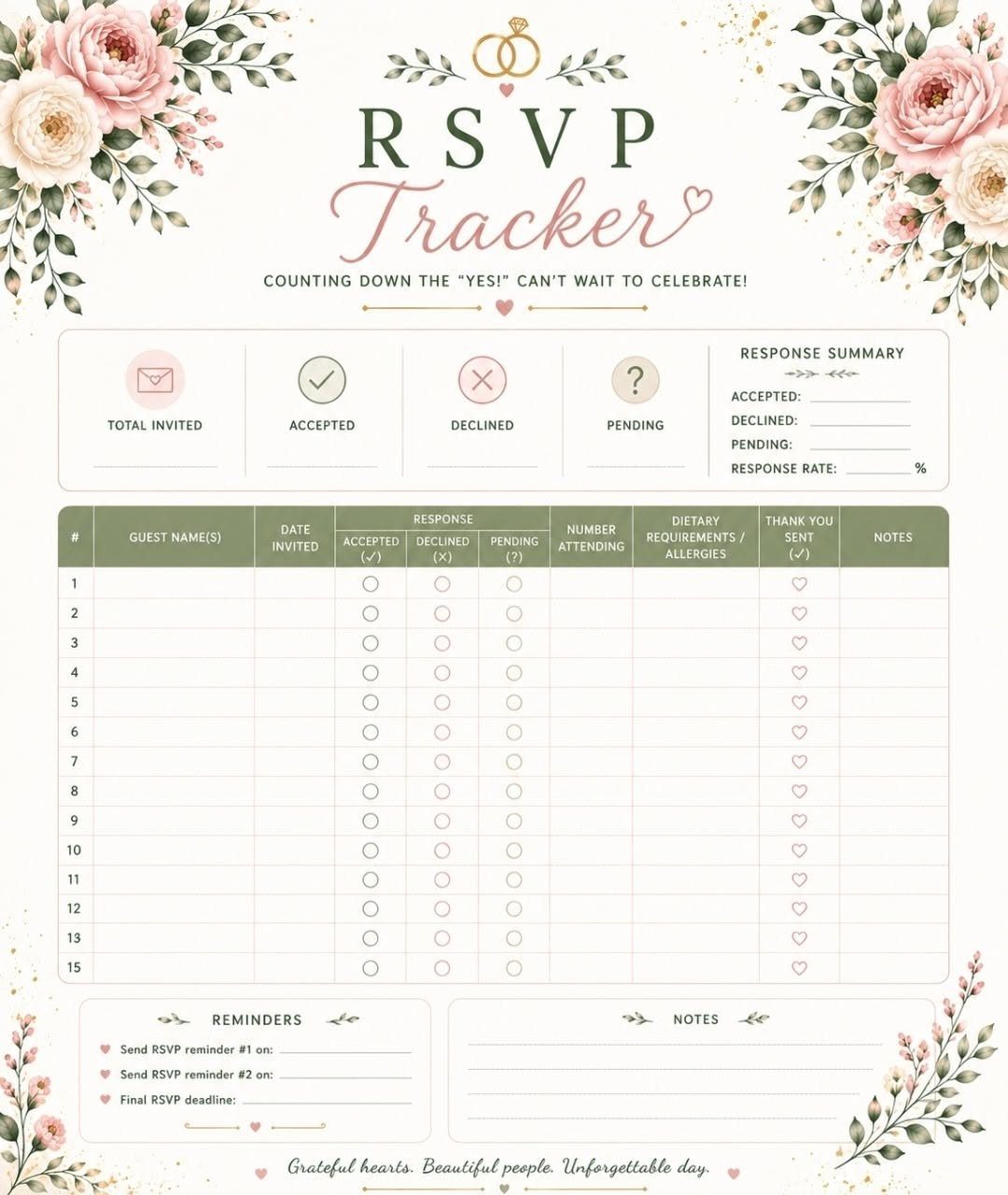
RSVP tracking is simple: names down one side, a response column, and one for dietary needs. That last column saves you a headache when the caterer asks for final counts.
Update the sheet the day each reply arrives, not in a batch. For anyone who has not answered by your deadline, a quick text beats a second invitation.
Free Templates Availability
Free templates cover more than a budget. Budget trackers, checklists, guest list worksheets and monthly, weekly and wedding day schedules are all out there to download, and some come as printable pages if you like paper.
Start with a template that splits the budget into broad percentages, say venue, food, photography and attire, then break each slice into line items once you have real quotes.
That order suits a first pass: set the big shares, then break each one down as quotes come in.
Download two or three and pick the one you will open without dreading it. If hiring a planner is out of your budget, a good spreadsheet covers a surprising amount of what a planner would track.
Using Google Suite
Google Sheets and Docs work like Excel and Word, with one difference that matters here: everything lives online and can be shared.
Both of you can work in the same file at once, from any device, with no emailing updated versions back and forth.
Couples who live in Excel and already pay for OneDrive can set up the same shared workbook there, and both of you can edit it from your phones.
I would still lean toward Google for couples who split planning duties, simply because it asks nothing extra to set up.
Use Docs for notes like vendor call summaries, and keep numbers in Sheets. One shared folder holding both means you can find a contract from a phone in a parking lot.
Limitations of Spreadsheets
A spreadsheet costs nothing and you already know how to use it, but every change is typed by hand, nothing nudges you about a deadline, and the file gets unwieldy once vendors, guests and payments pile up.
A planning app can tie the budget, guest list, vendor notes and to-do list together, so when one of you checks off a task or logs a deposit, the other sees it on their phone right away.
For most couples with a longer guest list and many vendors, I think an app wins. For a small wedding with a handful of suppliers, a sheet is plenty.
If you stay with a sheet, save a copy to Google Sheets so you can add a new supplier and cost on the spot at a venue tour or wedding fair.
Set the remaining balance to calculate from cost and amount paid, and add rows freely.
Frequently Asked Questions
How do I create my own wedding planner?
One workbook with a tab for each job works best: budget, guest list, vendors, to-do list, timeline and seating chart, each named so you can find it in a second.
On the budget tab, give every line 5 columns: what you expect to pay, what you did pay, the deposit already sent, what you still owe and the date that payment is due.
Freezing the header row keeps the column names in view as the list grows. Google Sheets works well because you and your partner can edit the same file at once.
What should a wedding planning spreadsheet include?
A good sheet holds a budget tracker, a guest list that records RSVPs, vendor contact details, a to-do list sorted by how many months out you are, a timeline for the wedding day and a seating chart.
Fill in as much as you can early, because a sheet with real details in it only gets more useful as the plans settle.